Workflow
Day-to-day usage: reviewing PRs, approve/decline flow, pacing recommendations (5-10 files/week)
Dashboard Overview
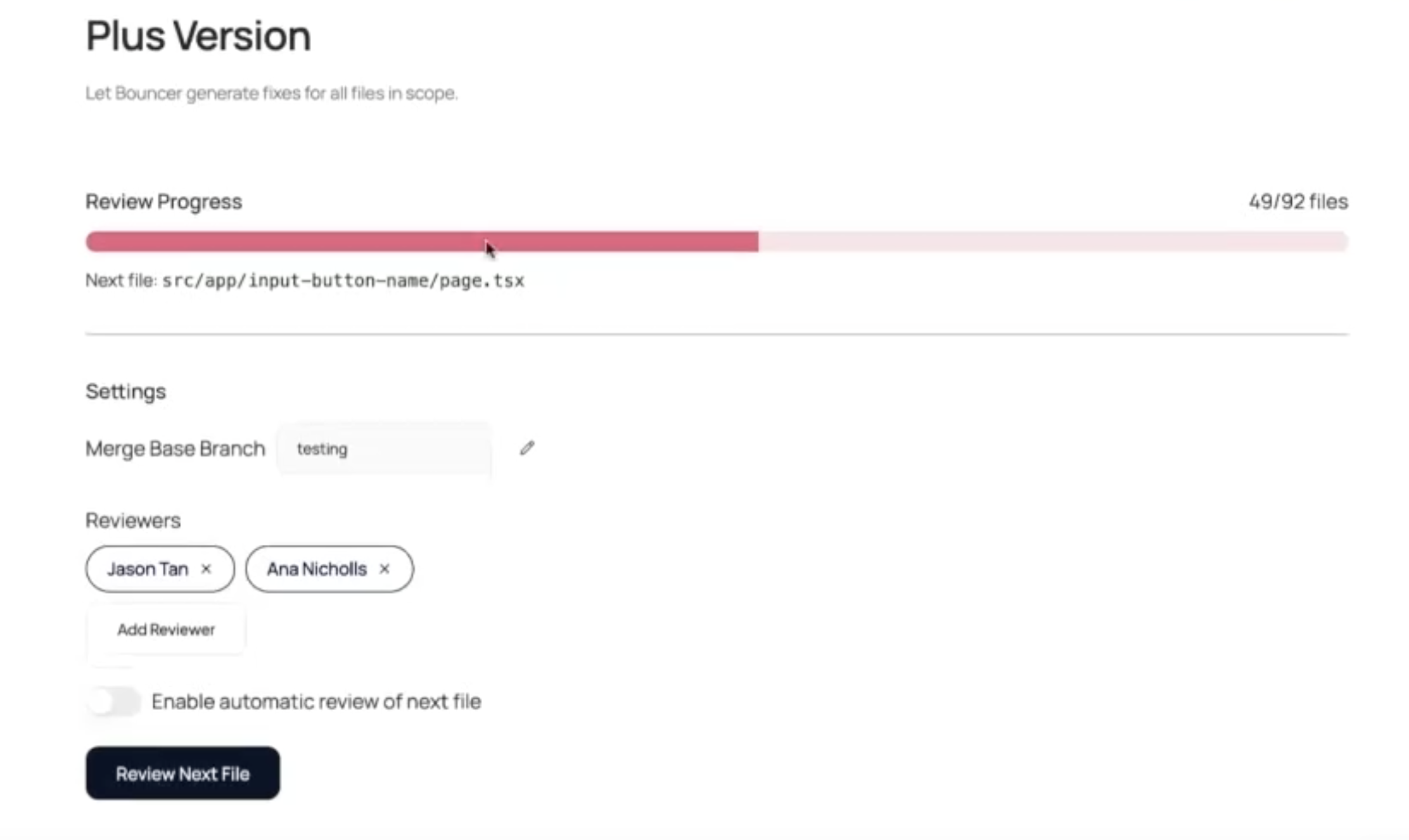
The Bouncer Plus section of your project dashboard shows:
|
Element |
Description |
|---|---|
|
Next File |
The file currently queued for review |
|
Files Indexed |
Total front-end files identified in your repository |
|
Files Reviewed |
Progress through the review queue |
|
Target Branch |
Where PRs will be merged |
|
Assigned Reviewers |
Who gets tagged on PRs |
|
Auto Mode Toggle |
Switch between automatic and manual processing |
Processing Files
Automatic Mode
-
Enable the "Automatic" toggle in the dashboard.
-
Bouncer Plus will continuously queue files for review.
-
After each PR is merged or declined, the next file is automatically processed.
Best for teams with an established review rhythm who want hands-off operation.
Manual Mode
-
Keep the "Automatic" toggle off.
-
Click Review Next File to trigger a review.
-
Review and merge (or decline) the resulting PR.
-
Click Review Next File again when ready.
Best for teams getting started or who want precise control over pacing.
Reviewing Pull Requests
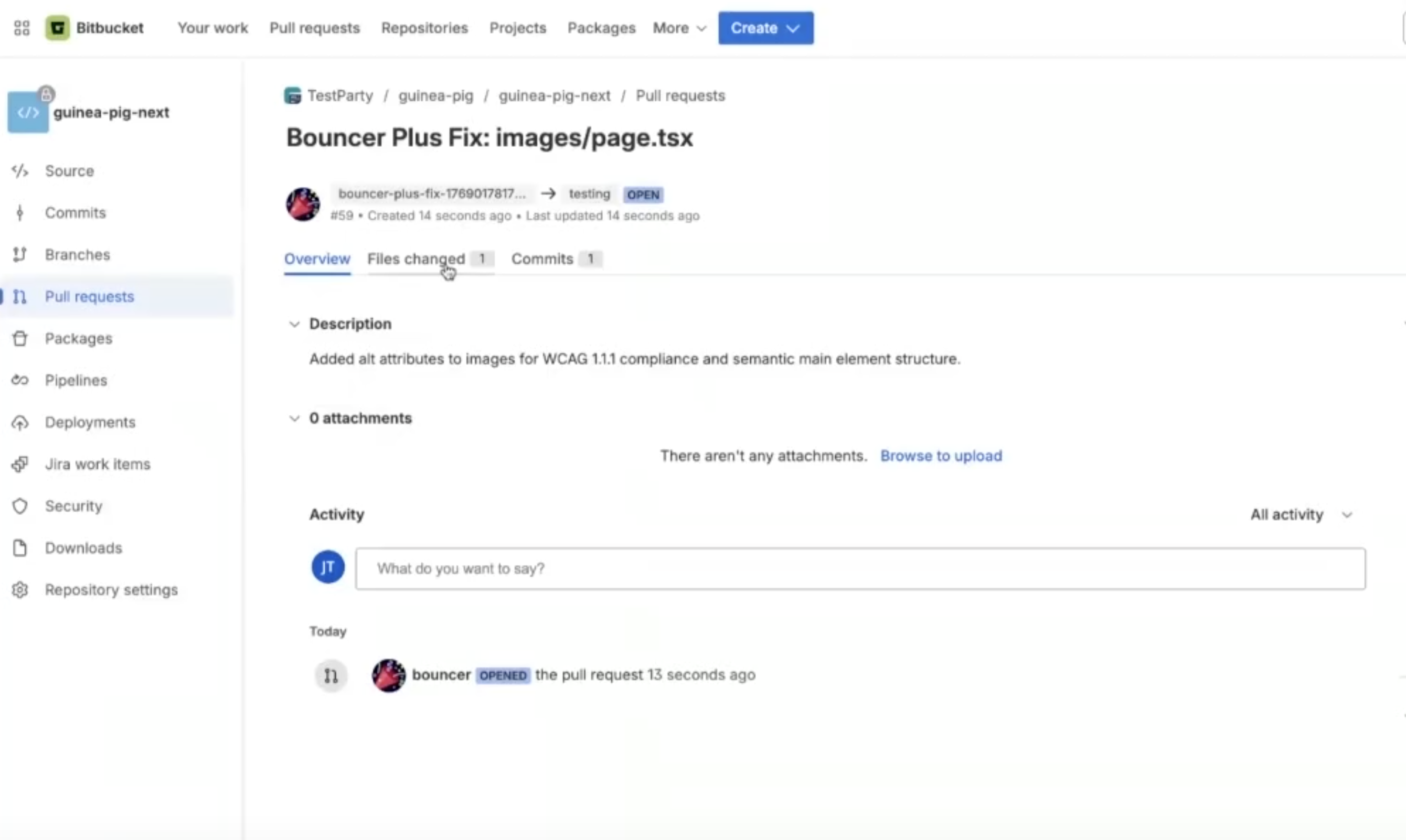
Each Bouncer Plus PR includes:
-
File changes with accessibility improvements
-
Inline comments explaining the rationale for each change
-
WCAG rule references for the issues being fixed
-
Tagged reviewers as configured in setup
Review Checklist
-
Correctness: Do the changes fix the accessibility issue correctly?
-
Compatibility: Do the changes work with your existing code patterns?
-
Side effects: Could the changes break existing functionality?
-
Testing: For larger changes, test locally before approving.
After Review
|
Action |
What Happens |
|---|---|
|
Approve & Merge |
Changes are merged. Bouncer Plus moves to the next file. |
|
Decline |
PR is closed. Bouncer Plus moves to the next file. Declined files may be re-queued in future scans. |
|
Request Changes |
PR stays open for revision. Bouncer Plus waits until resolved. |
Pacing Recommendations
Plan for 5–10 files per week. Don't feel pressured to process everything at once.
Suggested Approach
-
Week 1: Process 3–5 files manually to understand the types of changes Bouncer Plus suggests.
-
Week 2+: Increase to 5–10 files per week as your team builds confidence.
-
Ongoing: Schedule accessibility review time into your sprint workflow (e.g., 30 minutes twice per week).
Team Distribution
-
Rotate reviewers if needed to distribute knowledge across the team.
-
Pair junior developers with accessibility-experienced reviewers for learning opportunities.
Integration with Audits
Bouncer Plus is designed to complement external audits (e.g., Level Access, Deque):
|
Use Case |
Approach |
|---|---|
|
Pre-audit prep |
Run Bouncer Plus to fix low-hanging fruit before auditors review. |
|
Post-audit remediation |
Use audit findings to prioritize review. Bouncer Plus accelerates fixes. |
|
Ongoing compliance |
Keep Bouncer Plus running to prevent regression on remediated files. |
Note: Bouncer Plus may find issues beyond what's in the audit—it scans the full codebase, not just audited pages.
Best Practices
Branch Strategy
Consider using a dedicated branch (e.g., a11y-remediation) to batch changes:
-
Configure Bouncer Plus to target the feature branch.
-
Merge multiple file fixes into the feature branch.
-
Run grouped QA testing on the accumulated changes.
-
Merge the feature branch to main when ready.
File Filtering
Before deep processing:
-
Review the first 3–5 files to confirm Bouncer Plus is scanning the right code.
-
Contact support to configure exclusions if needed (generated files, deprecated code, etc.).
Change Review
-
Small changes (1–10 lines): Quick review, often safe to approve.
-
Medium changes (10–50 lines): Careful review, may need local testing.
-
Large changes (50–100+ lines): Thorough review, recommend local testing and QA.
Troubleshooting
|
Issue |
Solution |
|---|---|
|
PR not created |
Verify the GitHub App has write permissions. Check webhook deliveries in GitHub for errors. |
|
Wrong files being scanned |
Contact TestParty support to configure custom exclusion patterns. |
|
PR changes break functionality |
Decline the PR and provide feedback. Consider if the file needs manual remediation instead. |
|
Queue seems stuck |
Check if a PR is waiting for review. Merge or decline to continue. |
|
Reviews taking too long |
Reduce to 3–5 files per week. Consider enabling auto mode with fewer reviewers. |
Previous: Setup